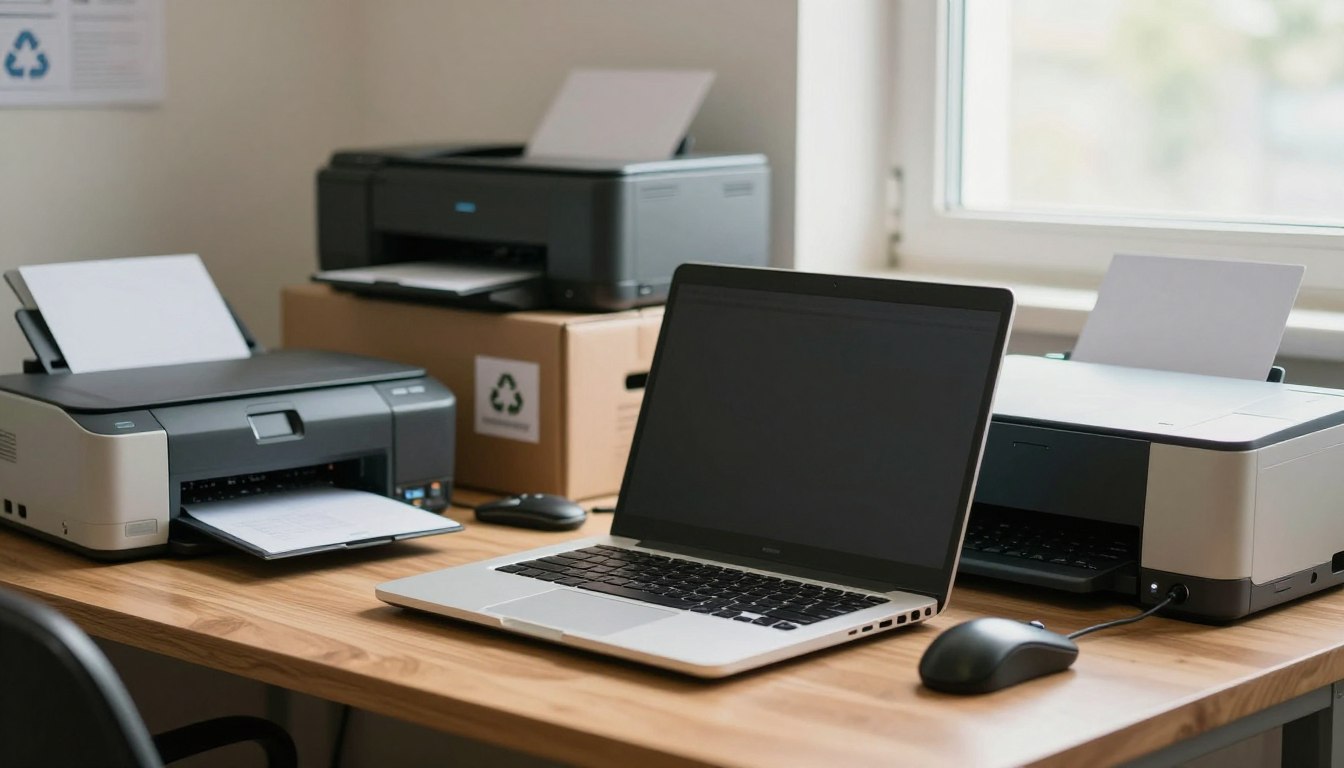
Most old devices can be handled more responsibly than putting them in household trash, but the right option depends on what you have and what is stored on it. Electronic recycling may mean a drop-off, a reuse program, or business ITAD, the process for handling retired company equipment. Your choice depends on device type, working condition, data sensitivity, and quantity.
A little planning can help you avoid a wasted trip and protect information before a device leaves your control. This article gives households and businesses practical next steps, from checking local rules to planning a larger project. Your needs may be as simple as finding a nearby drop-off or as involved as arranging pickup and documenting equipment processing. Keep security in view from the start.
Match the route to the device, its condition, and your location.
Check the recycler’s accepted-item list before traveling.
Protect stored data before handing over a device.
Ask businesses about pickup, tracking, and processing records.
Confirm any fee or payment terms for your specific device.
Set aside any device that may contain sensitive information until you have a plan to erase or destroy its data.
What Electronics Can You Recycle?
Computers, phones, printers, televisions, cables, and servers are common examples of electronic waste, but acceptance depends on the local program. Check the exact item before loading a vehicle, because electronics recycling rules can differ by location.
A recycler’s accepted list is not universal, and batteries or hazardous contents may need separate handling. One set of ten e-waste examples is computers, laptops, cell phones, tablets, televisions, monitors, printers, servers, cables, and power cords.
Check the exact item before making a trip. A recycler’s accepted list is not universal, and batteries may need separate handling.
Common devices accepted for recycling
Houston accepts computers, laptops, monitors, printers, servers, cell phones, cables, power cords, and CRT TVs up to 36 inches. Other recyclable items may include keyboards, mice, routers, modems, external drives, speakers, scanners, projectors, set-top boxes, and game controllers. These ten examples are not a promise of acceptance everywhere.
Ask about the device’s size, condition, and attached accessories when the local item list is unclear. A program may accept a computer but have different rules for its monitor or battery. That small distinction can save you an unnecessary trip.
Items that need a separate route
Houston excludes CRT TVs larger than 36 inches, game consoles, radios, household alkaline batteries, refrigerators, and washing machines. Nevada State Recycle also lists batteries, oil and liquids, hazardous medical waste, plastic bottles, and aluminum cans as items it does not accept.
These restrictions show why a general list of solutions cannot cover every item. A battery may need a separate collection route, while equipment containing oil or other hazardous materials may require specialized handling. Check the item list for the exact device and any attached battery before making a trip.
Where Can You Find Electronic Recycling Locations?
A nearby drop-off is useful only if it accepts your device and is open when you arrive. Start with a city or ZIP code, then compare locations, hours, and service details before driving.
Call ahead if a listing leaves acceptance or hours unclear. Fairmead Landfill accepts electronic waste Monday-Friday, 8:00 a.m.-4:30 p.m., and Saturday, 7:00 a.m.-2:30 p.m.; it closes Sundays and major holidays.
Houston’s Westpark Consumer Recycling Center is at 5900 Westpark, Houston, TX 77057, and accepts residential electronics at no additional charge. Kingwood Metro Transit Center holds a collection event on the first Saturday monthly, 9:00 a.m.-3:00 p.m. Ellington/Clear Lake Neighborhood Recycling Center holds one on the second Saturday monthly, 9:00 a.m.-3:00 p.m.
Texas requires manufacturers to offer free recycling programs for computers and televisions. California’s CalRecycle e-recycling directory lists participants in the Covered Electronic Waste Recycling Program, established by the Electronic Waste Recycling Act of 2003. Contact listed organizations to confirm service details, hours, and possible charges. Houston says not to place electronics at the curb with garbage or heavy trash.
Las Vegas-area drop-off locations
To find electronic recycling near me, use your city or ZIP code, then confirm acceptance, hours, and fees. People seeking electronic recycling in Madera can check CalRecycle’s directory; those seeking electronic recycling in Houston can check the city’s listed options.
Provider
Las Vegas-area street address and ZIP code
Phone
Premier Telecom
4601 W Sahara Ave Suite F, Las Vegas, NV 89102
(702) 628-5881
Computer Doctor BG
7085 W Ann Rd Suite 120, Las Vegas, NV 89130
(725) 313-2007
Computer Doctor BG
4075 S Durango Dr #105B, Las Vegas, NV 89147
(725) 313-2103
Tech 2U
7380 S Eastern Ave Suite 109-D, Las Vegas, NV 89123
(725) 313-2035
Doctors Of Technology
2560 E Sunset Rd #111, Las Vegas, NV 89120
(702) 723-3608
Nevada State Recycle is at 1816 Industrial Rd, Unit 4, Las Vegas, NV 89102, phone (702) 979-1280. Its weekday closing-time listings conflict, and Saturday drop-off is by appointment. Call ahead when a listing has conflicting hours or does not specify whether your item is accepted.
How Do You Protect Data Before Recycling a Device?
Back up needed files, sign out of accounts, remove removable cards, and use a suitable reset or sanitization method. Deleting files alone may leave personal or business information recoverable.
CalRecycle warns that deleting files with a keyboard or mouse does not necessarily remove all personal information from device memory. Media sanitization is a process that makes access to target data on storage media infeasible for a given level of effort.
Prepare computers, phones, and removable storage
Before recycling a computer, phone, or tablet, save files you still need and sign out of accounts linked to the device. Remove SIM and memory cards, then follow reset instructions made for that device. A basic file deletion is not the same as clearing the storage.
To safely dispose of an old computer, prepare its storage as well as the machine itself. Removing a hard drive protects the data on that drive, but other storage may remain inside. Arrange separate handling for the removed drive, too.
Back up files you want to keep.
Sign out of accounts and unlink the device.
Remove SIM cards and memory cards.
Use a reset or sanitization method suited to the device.
Keep a record of the method used for sensitive equipment.
Choose wiping or physical destruction
A verified wipe makes storage suitable for another use when the method fits the device and data risk. Physical destruction can make a drive unusable, which prevents its reuse. Choose based on confidentiality and the device’s condition.
NIST withdrew SP 800-88 Rev. 1 on September 26, 2025, and superseded it with Rev. 2. Rev. 2 describes sanitization validation as a way to assess effectiveness in relation to confidentiality and information sensitivity. Validation supports a risk-based decision; a certificate alone does not guarantee security.
To wipe an old laptop, back up wanted files, sign out, remove cards, and use a device-appropriate reset or sanitization method. For a sensitive device, confirm what data-handling evidence the recycler can provide before you hand it over.
What Happens to Electronics After Collection?
After collection, a working device may be prepared for reuse, while equipment that cannot be reused may be dismantled for parts and recoverable materials. Condition matters, along with marketability and the ability to process equipment safely.
A standard’s name does not show that every service is included. Ask which processing route applies to your device and whether the facility handles that work within its certified scope.
Reuse, refurbishment, and material recovery
Equipment that still works may be tested, repaired, or refurbished for reuse. A device that cannot be reused may be dismantled so usable parts and materials can be recovered. A recycler’s solutions depend on the device’s condition, marketability, and safe processing needs.
Reuse can extend the useful life of a device, while material recovery handles equipment that has reached the end of its useful life. The actual route depends on the equipment and the recycler’s capabilities. Ask what happens to your specific device rather than assuming every item follows the same path.
What R2v3 appendices cover
R2v3 Appendix B covers logical data sanitization and enhanced data-destruction processes, including tracking down to the serial-number level. Appendix C covers testing and repair. Facilities certified to Appendix C Test and Repair must also have Appendix B.
Appendix E certifies facilities to process recycling in-house, including dismantling, separation, and recovery. Appendix D covers responsible reuse of specialty electronics, including telecom, medical, and scientific equipment. These standards describe different scopes of work.
When comparing recycling services, match the certification scope to the task you need. Data handling, repair, in-house recovery, and specialty-equipment reuse are not interchangeable services. Ask which processing route applies to your device and whether the facility handles that work within its certified scope.
What Do Businesses Need From an ITAD Service?
A business ITAD project should be scoped around the equipment, data risk, site access, and reporting the organization needs. Start with the assets, then choose pickup, destruction, and processing steps that fit the project.
Commercial work can be a recurring service or a one-time purge. Serialized inventory, chain-of-custody support, scheduled pickup, rack removal, and data center decommissioning may suit different sites and equipment volumes.
Inventory, pickup, and project planning
Hotels, gaming companies, and other businesses should scope site access, equipment volume, storage media, timing, and reporting needs before scheduling. Data center projects may involve logistics, rack removal, decommissioning, and asset recovery. A smaller office purge may need serialized asset reporting and a clear pickup window.
Device and asset inventory.
Data sensitivity and destruction method.
Site access and schedule.
Required serial-number reporting and downstream processing.
Blind Center of Nevada offers free business pickup for computers, servers, and IT equipment. That offer applies to those listed items; confirm other equipment separately.
Data destruction and accountable processing
Choose a handling plan that matches data sensitivity. A business pickup may include scheduled collection and asset reporting. On-site hard drive shredding can suit a project that needs destruction at the facility. A data center project may add rack removal, logistics, and decommissioning.
Service option
Typical fit
Concrete handling or reporting detail
Business pickup
Office computers and IT equipment
Scheduled collection with serialized asset reporting
On-site drive shredding
Storage requiring physical destruction
Hard drives shredded at the business site
Data center project
Servers, racks, and data center equipment
Decommissioning, rack removal, and logistics
Ask how the recycler records asset custody and destruction, and what processing records it returns. Confirm in writing which assets are included and what records will be returned after processing.
What Do Drop-Off Fees and Equipment Value Depend On?
Some drop-offs are free, while particular large or older displays may carry a fee. The item matters: fees depend on the local program and the device you bring.
Nevada State Recycle lists $20 for each CRT TV or monitor and $20 for each rear-projection TV; other electronic items are listed as free to drop off. Houston’s residential electronics drop-off has no additional charge.
Free electronic recycling is a local program detail, not a guarantee for every device or location.
Free electronic recycling near me may be available through a local program, but an accepted item can still carry a fee elsewhere. Compare the exact location and device category before arranging transport. A business may also have different terms from a household drop-off.
For electronic recycling for money, payment depends on resale value, condition, and the provider’s buying or recovery terms. Many drop-off programs handle disposal rather than paying for equipment. An old laptop may be worth more intact and reusable than as scrap.
Recycling services may charge for some items while accepting others at no cost. Companies that buy equipment set their own terms, so do not assume an item has a fixed scrap value. Confirm the exact charge or payment terms for your device before arranging transport.
Conclusion
A responsible handoff starts with two checks: where the device is accepted and how its data will be handled. Balance convenience with care, especially when the device holds personal or business information.
Household readers can check a local drop-off’s rules. Businesses can scope pickup, asset tracking, and documentation before scheduling a project. The right service should fit the equipment and the records you need.
Make a short inventory, protect or sanitize stored data, and contact a suitable local program or ITAD provider to confirm the handoff details.
FAQ
Is it worth recycling old computers?
Yes, old computers are worth recycling, especially when they can be reused or refurbished. A working computer may serve another user, while an end-of-life computer is better handled through an electronics program than ordinary trash. Before handing it over, protect stored data and confirm the recycler accepts that computer type. Its condition can affect whether reuse is practical.
How can I safely dispose of my old computer?
Back up files, sign out of accounts, sanitize the computer’s storage, and use a recycler that accepts it. Remove SIM or memory cards if the device has them, and follow reset instructions suited to the computer. File deletion alone may not fully remove personal information. If the computer contains sensitive data, keep a record of the method used to sanitize its storage.
Is it enough to remove the hard drive before recycling a computer?
No, removing the hard drive addresses data on that drive, but other storage may remain in the computer. Some devices include additional internal storage, and memory cards or attached storage may hold files, too. Arrange separate handling for the removed drive so its data is not exposed. Check the computer’s design and storage before deciding that one removed part solves the data risk.
What do I do with a 10 year old laptop?
Check whether the laptop still works and can be reused; if it cannot, sanitize its storage and take it to a location that accepts laptops. Age alone does not determine whether the laptop can be refurbished or reused. Back up wanted files, sign out of accounts, and remove removable cards first. Check the local program’s rules before bringing the laptop in.
Can I just throw my old laptop in the garbage?
No, use an electronics drop-off or another program that accepts the laptop instead of putting it in household garbage. Electronics programs can route devices for reuse or recycling, while ordinary trash does not address stored data or device materials. In Houston, do not put electronics at the curb with garbage or heavy trash. Check local collection rules before setting anything out.
How do I wipe everything off an old laptop?
Back up wanted files, sign out of accounts, remove removable cards, and use a reset or sanitization method suited to the laptop. A basic file deletion may not fully clear stored data. Follow instructions for the exact device and storage type, especially if the laptop holds sensitive information. Keep a record of the method used when you need to document data handling.
How much is an old laptop worth for scrap?
There is no guaranteed scrap payment for an old laptop. Its condition, potential for reuse, and the provider’s buying or recovery terms affect whether it has value. A working laptop may be worth more intact than as scrap, while a damaged unit may only qualify for recycling. Ask whether the provider is buying the device or simply accepting it for disposal.
What are 10 examples of e-waste?
Ten examples of e-waste are computers, laptops, cell phones, tablets, televisions, monitors, printers, servers, cables, and power cords. These items commonly appear in electronics recycling programs, but local acceptance differs. A recycler may accept one type and exclude another because of size, battery, or handling rules. Check the specific item list before loading equipment for a drop-off.
Did You Know You Can Recycle at Boots? The growing concern about environmental impact has led to an increased interest in sustainable practices, including the recycling of footwear. Footwear waste is a significant problem globally, with millions of pairs ending up in landfills each year. Boots, a leading retailer, has taken a significant step towards…
Recycling Old Makeup with Boots’ Eco-Friendly Initiative Boots UK is spearheading sustainability in the beauty industry with its Recycle at Boots scheme. Since September 2020, this programme has collected over 1 million beauty and wellness products. It’s a massive step towards environmental responsibility. Recycling old makeup at Boots is now a breeze. The scheme has…
How to Recycle Your Old Glasses at Boots? Millions of people worldwide rely on eyeglasses to correct their vision, but what happens when their prescription changes or their frames become outdated? Instead of discarding old eyeglasses, individuals can now conveniently recycle them at Boots, making a significant difference in the lives of those with vision…
Is Makeup Recycling Possible at Boots? The beauty industry’s environmental impact is a growing concern, and consumers are seeking eco-friendly options. Boots, a renowned retailer, has taken a significant step towards sustainability with its innovative recycling program. The Scan2 Recycle scheme allows customers to recycle their beauty product empties and earn Advantage Card points. This…
Is Wrapping Paper Recyclable at Boots? The annual production of wrapping paper in the USA amounts to 4.6 million pounds, with 2.3 million pounds ending up in landfills. This staggering statistic highlights the growing problem of wrapping paper waste and the need for sustainable practices. Understanding whether wrapping paper is recyclable is crucial for reducing…
Where to Recycle Spectacles at Boots Near You? As a responsible consumer, you’re likely looking for ways to reduce your environmental footprint. One simple yet effective way is to recycle your old glasses. Boots Opticians participates in spectacle recycling programs, allowing customers to donate their used eyewear. This comprehensive guide will walk you through the…